
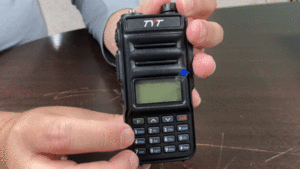
TYT has updated the TH-UV88 radios being shipped to the United States and VFO mode is now disabled out of the box. Normally, pressing the # key on the keypad switches between channel and VFO mode. On the new radios, this doesn't happen. Most likely this is TYTs way to ensure that radios being shipped into the country aren't able to be programmed to transmit outside of the amateur bands, the only frequencies for which they are authorized.
It is understandable that TYT would want to restrict the radios to amateur frequencies, however it's not clear why they chose to accomplish this by disabling VFO mode. Fortunately there is an easy way to unlock the radios and re-enable VFO mode.
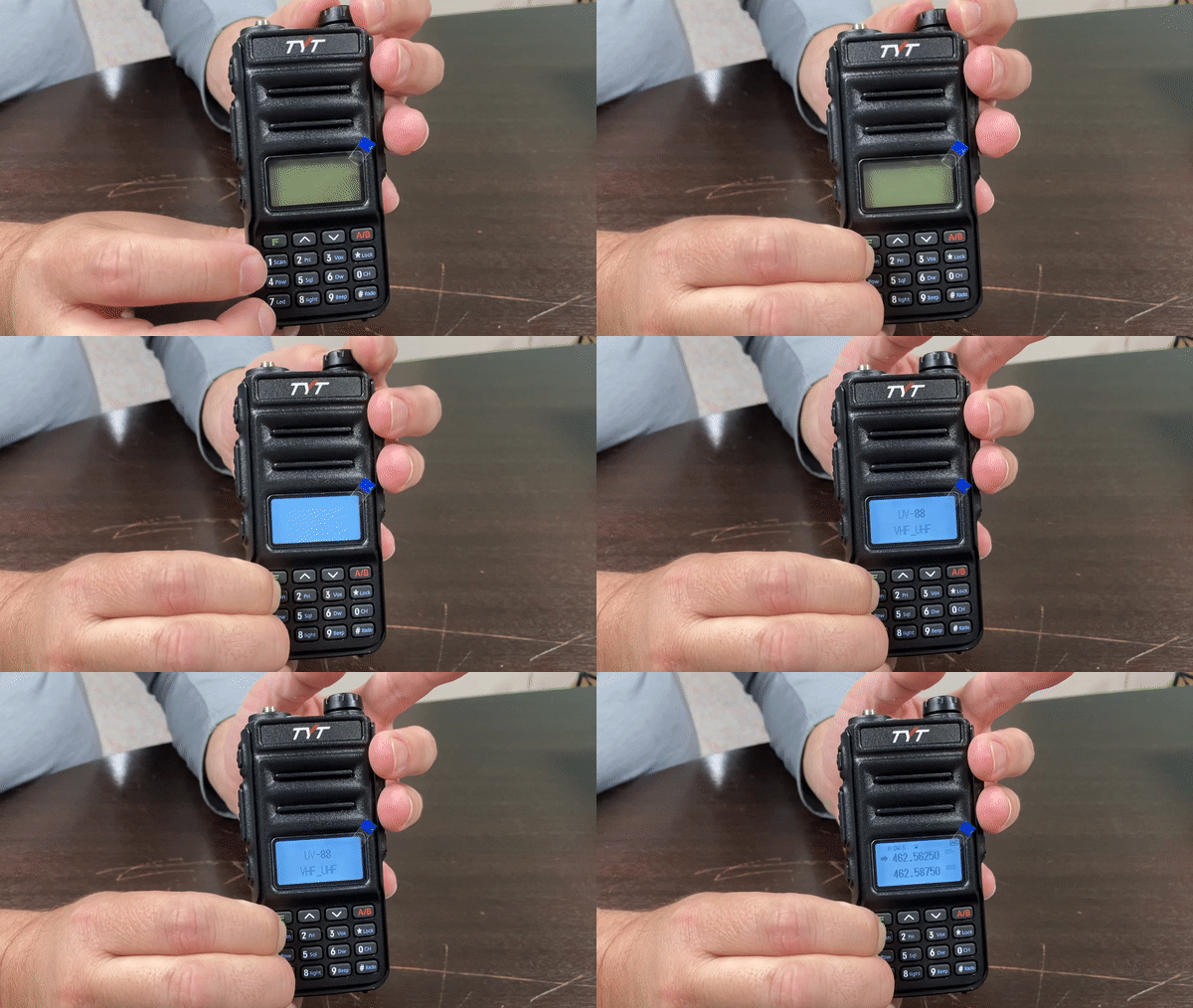
- Turn the TH-UV88 radio OFF.
- Hold down both the 1 and 7 keys.
- While holding down those keys, power the radio ON.
- After you hear the voice prompt "seven", release both keys.
- VFO mode is now enabled.
This procedure does not directly switch the radio into VFO mode. It unlocks and restores the ability to switch between channel and VFO modes by pressing the # key.



So... I have a question for you guys. I have a 2 UV-88 but I don't have any amature radio lisence so... I wan to use in 446 mhz but one of my radio is working in 446, namely I can type 446.03125 to frequency but other one is stuck at 430-440 and 140. I can get arrested and can get 40k turkish lira penalty for this. How do I fix it?
pls help me i can not encode any vhf 144.000 any in my uv 98 tyt
We do not carry the UV98 so we have no information on it. You may need to contact your point of purchase or TYT directly for support.
Hello,
I just received my TYT UV 88 and I cannot use it, because they make it too complicated to understand.
I do not need to program anything and I do not need to use software or SCAN.
I just want to find the frequencies manually and enter the CTSS PL Tone, but the instructions are too complicated and so my radio is just sitting here untouched, and not being able to enjoy it.
Please help
Thank you
The new UV88 radios shipping to the US are pretty well locked down in firmware, You can not receive anything above 450Mhz or 148Mhz even when you program the radio with the CPS. I tried with both CHIRP and the TYT CPS. My intent was to monitor a couple of public safety frequencies. No Joy.
Great. Now, how does one unlock the TYT8000d/e? I've looked all over the internet and can't seem to find it.
We do not carry that model, so we have no information on it.
I unlocked my UV-88 and set frequency to 154.100, I can only recieve voice but it is not transmitting my voice. Anyone can help??
As mentioned in a previous comment, the article explains how to unlock VFO mode only, not the frequency ranges of the radio. The reason you are unable to transmit on 154.100 is because TYT-TH-UV88 is locked to the ham bands between 144 and 148 MHz, and the frequency you are using is outside the allowable frequency range on that band. This is to comply with FCC rules.
I know this is an old post but I'm going to try anyway and hope someone will see it and help me out. I can't put in the offset into a saved repeater. When I do try it changes all of my saved repeater channels. I'm using the tyt software trying to do this. I've also tried to do it in Chirp but it won't let me put it in at all. Sure would love to get some help to say if I'm doing something wrong and maybe be told how to do this. It would be so much appreciated!!!
Oscar
I can listen only on VFO. When I push to talk it changes channels. Is there a remedy?
Hello, do you know how to program duplex/semi-duplex channels? i.e. on VHF 84 channel ship station (which meas - my radio) trasmits on 157.225MHz and coast station transmits on 161.825MHz. So I have to listen on 161.825MHz frequency and talk on 157.225MHz frequency. I have simplex channels programmed easily, but programming duplex/semi-duplex is not clear for me yet. Thanks for help!
What radios are you using? Although you posted your comment on an article for the TYT-TH-UV88, your reference to ship communications leads me to ask, since the TH-UV88 is not a marine radio. This is an important question, because the TH-UV88 is not capable of full duplex operation.
How do I put in Repeater information into this, if I know the Repeater Input and output frequency and know the Tone number, DLP or PL
tyt uv 88 cıhazıma yazılım atarken cıhaz kendı kendıne kapandı.cıhazım kesınlıkle acılmıyor.ne yapmam lazım
The device shut itself down while the tyt uv 88 was throwing software to my device.
What firmware are these radios the above procedures work for the vfo but still unable to get out of the 144 /148 MHz band
The procedures outlined in this article are intended for unlocking VFO mode only, not the frequency ranges of the radio. This is to comply with FCC rules.
to lock out VFO mode and lock out of the extended frequencies you have to hold the squelch (p2) button and #7 key while turning the radio on.
Merhaba uv88 yazılım esnasında kapandı açılmıyor nasıl acabilirim
Hello uv88 shut down during the software, it does not open.
I'm looking for a way to re-lock the VFO. The uv88 is approved for LMR use in Canada but the VFO must be disabled. Any tips? Would be cool if we could do it in CHIRP or with a special firmware.
We have reached out to TYT regarding this and are waiting to hear back from them. As soon as we have an answer we'll post it.
Hi.
The unlock works great. Thanks for the info. But I'm wondering if there is a way to lock vfo again to conform to LMR regulations in CA.
We are waiting for a response from TYT on this. As soon as we have more information, we'll pass it along.
I'm writing you from Turkey. I have just purchase a TYT THUV88 model amatour band radio: I wonder, I can not listen any tail noise after the receiving signal from same repeater. But I know the repeater works correctly.However, I can listen a tail noise by using Baofeng or Wouxun radios listening thesame repeaters. I can not find any tail noise adjustment within this radio same as in Baofeng or Wouxun.
Hi, its possible to do something like this from keyboard to do the reverse, to LOCK to channel mode only?
I purchased 2 TYT TH-UV 88 HT's from BuyTwoWayRadio's. The received audio is very low when receiving using either TYT to transmit to themselves or another brand of HT. The audio level is normal when using OTHER HT's to transmit to the TYT's. (I own several different brands). Is there a setting or adjustment that will increase the transmit audio produced by the TYT's? Thank you.
Any way to unlock the frequency range? I type in Ch13 FRS in VFO 467.6875, and it does RX carrier/no modulation... but when i try to TX it kicks me back to closest HAM frequency.
PS.
In Canada they spec it as 430 - 450MHz UHF Frequencies 144 - 148MHz VHF Frequencies ... which makes no sense it being a hardware issue as we are a smaller market. US versions are 400-480MHz UHF Frequencies 136-174MHz VHF Frequencies
The TH-UV88 is only authorized for use on the amateur bands in the US. It is not FCC type accepted for FRS. Also, FRS channels 8-14 are limited to 1/2 watt and removable antennas are not allowed. The frequency range is locked specifically to prevent its use on unauthorized frequencies. Unlocking the TH-UV88 would be considered illegal modification here in the US, so we do not recommend nor can we assist an attempt to unlock the radio to access frequencies for tranmit outside the approved ham bands.