
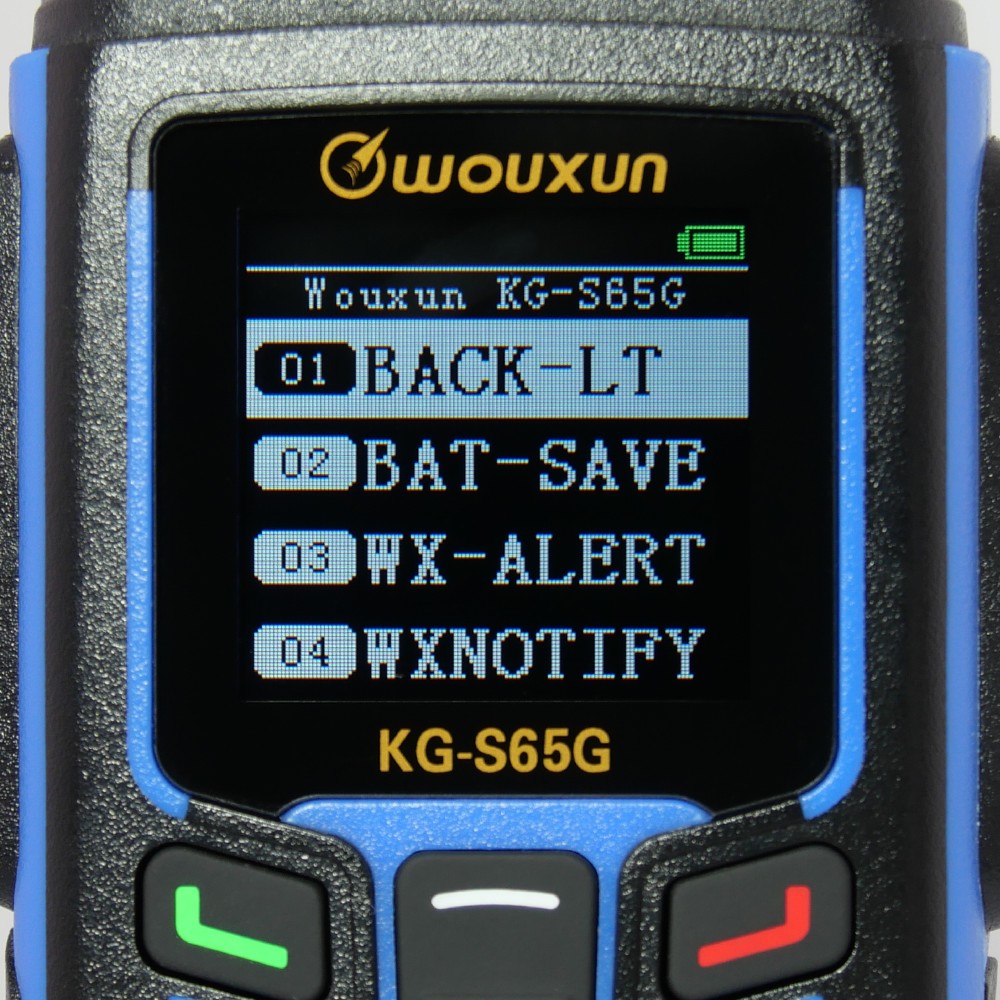
 The Wouxun KG-S65G is the latest entry in the Wouxun GMRS radio lineup. Based on the S Series, the KG-S86G incorporates some of the best features of the KG-S88G, KG-Q10G and legendary KG-935G Plus GMRS transceiver to create a more compact and powerful communications device at a budget friendly price.
The S65G is FCC type accepted for the GMRS and provides up to 5 watts of transmit power. This is not one of those bubble pack radio sold at the local big box retailer or outdoor store. It is a powerful and capable GMRS radio intended for both personal or hobby use by anyone with a GMRS license. The KG-S65G is only available at Buy Two Way Radios.
KG-S65G Key Features
- 30 GMRS Channels
- 8 GMRS Repeater Channels
- Up to 400 Memory Channels
- 400-480 MHz Receive Only UHF Frequencies
- 7 NOAA Weather Channels
- 4 Weather Alert Notifications
- Tune Specific Frequencies Directly (Frequency Mode)
- Repeater Capable
- 5 Watts Maximum Transmit Power
- Standard and Non-Standard CTCSS/DCS Tones
- Split CTCSS/DCS Tone Support
- High/Low TX Power Levels
- Channel Scan
- Priority Scan
- CTCSS/DCS Tone Scan
- Tone Save
- Favorite Channels
- Channel Wizard
- Frequency Counter
- Wide/Narrow Bandwidth Selectable
- Backlit LCD Display
- Channel Name, Number or Frequency Display
- Incoming Caller ID Display
- Reverse Frequency
- Talk Around
- Monitor Function
- Alarm
- SOS
- 6 Key Backlit Keypad
- Descrambler
- DTMF Encoding and Decoding
- Group Call, All Call and Selective Call
- Timeout Timer
- Audible Button Beeps
- Roger Beep
- English Voice Prompts
- Transmit Overtime Alarm
- Scan Add/Delete
- Busy Channel Lockout
- Battery Meter
- Low Battery Alert
- Power Saver
- VOX
- 4 Programmable Function Keys
- Programmable Top Key
- Stopwatch Timer
- Keypad Lock
- Auto Lock
- Channel Knob
- Volume Knob
- Built-in Flashlight
- IP55 Waterproof
- PC Programming Support
- Custom Power On Message
- Drop-In Charge Capable
- USB Charge Capable
- USB-C Charging Port
- Audio Accessory Connector
- Factory Reset
Programming the KG-S65G
There are only 30 channels assigned to the General Mobile Radio Service. These channels are pre set into all type accepted GMRS two way radios according to the FCC rules, and all of the Wouxun branded GMRS radios are pre-programmed to comply. Wouxun radios also feature additional channels that are user programmable for further customization. As it is with all Wouxun radios we carry, the KG-S65G is fully programmable from a PC using a programming cable and the Wouxun KG-S65G programming software or directly from the menus of the radio itself.
Direct from the radio
Those who are already familiar with programming other Wouxun radios will find the general procedure pretty much the same with the KG-S65G. If programming a radio is new to you, you will be happy to know that it is actually not complicated. The KG-S65G owners manual is written with both novices and experienced operators in mind. Like other Wouxun GMRS radios sold exclusively by Buy Two Way Radios, it is written in plain English with instructions that are easy to follow.
Using the Channel Wizard
First introduced in The KG-935G Plus, the KG-S65G has a built in Channel Wizard to make it super easy to program a channel into the radio. Using the Channel Wizard, practically anyone can quickly program a new channel or modify an existing channel direct from the keypad of the radio itself. With the Channel Wizard, you can add or clone new channels into the radio in mere seconds. You can also change the settings in any existing channel. The wizard lets you do all of this without the need to hunt around through the menu for each channel option, and without the need for programming software.
There are two ways to access the Channel Wizard. The first method to press [MENU], navigate to the CH-WIZ option and press [MENU] again to enter the wizard. The second method is to assign the CH-WIZ option to one of the programmable keys for instant access to it at one key press.
There are ten menu functions in the Channel Wizard, each with their own sub-menu. Go to the first menu item and press [MENU] to enter its sub-menu. Use the [UP] and [DOWN] arrow keys to choose the option you want from that sub-menu, then press [MENU] to enter your choice. This will take you back to the Channel Wizard menu to go to the next or previous Channel Wizard menu function.
The last Channel Wizard menu function is [SAVE-MOD]. You must choose this function to save your channel settings and add, clone or save your channel to the radio. You can choose to save your channel and create another channel or save the channel and exit the Channel Wizard.
Of course, you can opt to enter and save a channel or frequency independently through the individual menu items instead. While not as fast as the Channel Wizard, this method does allow you to customize a specific channel setting as needed.
The KG-S65G is a very powerful radio with a lot of great features. Like the KG-935G Plus, it has two menus to access and configure them all. The Area Menu allows for the customization of specific channels or frequencies. The System Menu manages the general functions of the radio.
Area Menu
The KG-S65G Area menu consists of 22 items. Default settings are bold.
| Menu # | Menu Item | Description | Option |
|---|---|---|---|
| 01 | SQUELCH | Squelch settings | 1 to 9|5 |
| 02 | TX-POWER | Output power | HIGH|MID|LOW|Varies |
| 03 | W/N | Wide/Narrow bandwidth settings | WIDE|NARROW|Varies |
| 04* | STEP | Step frequency settings | 2.5K to 1000.0K|5K |
| 05 | RX-CTCSS | Receive CTCSS Tone | OFF|1-50 |
| 06 | TX-CTCSS | Transmit CTCSS Tone | OFF|1-50 |
| 07 | RX-DCS | Receive DCS Code | OFF|1-105 +/- |
| 08 | TX-DCS | Transmit DCS Code | OFF|1-105 +/- |
| 09* | REPEATER | Repeater | OFF|ON |
| 10** | CH-NAME | Channel Name | 8 Characters |
| 11** | CH-FAV | Favorite Channel | OFF|ON |
| 12 | CH-ADD | Add Memory Channel | 400 channels|Current Channel |
| 13 | CH-DEL | Delete Memory Channel | 400 channels|Current Channel |
| 14 | BUSYLOCK | Busy Channel Lockout | ON|OFF |
| 15 | MUTEMODE | Speaker Mute | QT|QT+DTMF|QT*DTMF |
| 16 | DESCRAMB | Descrambler | OFF|SCRAM 1-8 |
| 17 | COMPAND | Compander | ON|OFF |
| 18 | CALL-GRP | Select Call Group | 1-20 Groups|1 |
| 19 | SCAN-ADD | Scan Add/Delete | ON|OFF |
| 20 | TONESCAN | CTCSS/DCS Scanning | NONE|CTCSS|DCS |
| 21 | WORKMODE | Work Mode | CH-NAME|CH-NUM|CH-FREQ|FREQ |
| 22 | CH-WIZ | Channel Wizard | NONE |
Note: *The menu items in yellow are available in Frequency mode only.
**The menu items in green are available in Channel mode only.
System Menu
The KG-S65G System menu consists of 43 items. Default settings are bold.
| Menu # | Menu Item | Description | Option |
|---|---|---|---|
| 01 | BACK-LT | Backlight Timeout | ALWAYS OFF|1-20S|10S|ALWAYS ON |
| 02 | BATT-SAVE | Battery Saver | ON|OFF |
| 03 | WX-ALERT | Weather Alert | ON|OFF |
| 04 | WX-NOTIFY | Weather Alert Notification Setting | ICON|TONE|FLASH|ALL |
| 05 | WX-FREQ | Weather Frequency Setting | 1 (162.400) - 7 (162.550) |
| 06 | THEME | Display Theme | WHITE-1|WHITE-2|BLACK-1|BLACK-2|COOL|RAIN|NotARubi|SKY|BTWR|CANDY|CUSTOM-1|CUSTOM-2|CUSTOM-3|CUSTOM-4 |
| 07 | SCANMODE | Scan Mode | TO|CO|SE |
| 08 | SCAN-QT | Tone Scanning Detection | ON|OFF |
| 09 | PRI-SCAN | Priority Scan | OFF|ON-STBY|ON-ALWYS |
| 10 | PRI-CH | Priority Channel | 400 Channels|CH-001 |
| 11 | TONESAVE | CTCSS/DCS Tone Save Options | BOTH|RX|TX |
| 12 | ROGER | Roger Beep | OFF|BOT|EOT|BOTH |
| 13 | TOT | Transmit Overtime Timer | 15-900 sec (15 second increments)|60 |
| 14 | TOA | Transmit Overtime Alarm | OFF|1-10 seconds|5 |
| 15 | VOX | Voice Activated Transmit | OFF|1-10 (Level) |
| 16 | VOX-DLY | VOX Delay | OFF|1S-5S |
| 17 | VOICE | Voice Guide | OFF|ON |
| 18 | BEEP | Button Beeps | ON|OFF |
| 19 | S1-SHORT | Side Key S1 Short Press Assignment | DISABLE|ALARM|AREA-SEL|BACK-LT|CALL|FAVORITE|FLASHLT|FM-RADIO|MONITOR|REVERSE|SCAN|SOS|TALK-A|TIMER|TX-POWER|VOX|WEATHER|WORKMODE|CH-WIZ|FREQ-CNT |
| 20 | S1-LONG | Side Key S1 Long Press Assignment | DISABLE|ALARM|AREA-SEL|BACK-LT|CALL|FAVORITE|FLASHLT|FM-RADIO|MONITOR|REVERSE|SCAN|SOS|TALK-A|TIMER|TX-POWER|VOX|WEATHER|WORKMODE|CH-WIZ|FREQ-CNT |
| 21 | S2-SHORT | Side Key S2 Short Press Assignment | DISABLE|ALARM|AREA-SEL|BACK-LT|CALL|FAVORITE|FLASHLT|FM-RADIO|MONITOR|REVERSE|SCAN|SOS|TALK-A|TIMER|TX-POWER|VOX|WEATHER|WORKMODE|CH-WIZ|FREQ-CNT |
| 22 | S2-LONG | Side Key S2 Long Press Assignment | DISABLE|ALARM|AREA-SEL|BACK-LT|CALL|FAVORITE|FLASHLT|FM-RADIO|MONITOR|REVERSE|SCAN|SOS|TALK-A|TIMER|TX-POWER|VOX|WEATHER|WORKMODE|CH-WIZ|FREQ-CNT |
| 23 | F1-SHORT | Front Key F1 Short Press Assignment | DISABLE|ALARM|AREA-SEL|BACK-LT|CALL|FAVORITE|FLASHLT|FM-RADIO|MONITOR|REVERSE|SCAN|SOS|TALK-A|TIMER|TX-POWER|VOX|WEATHER|WORKMODE|CH-WIZ|FREQ-CNT |
| 24 | F1-LONG | Front Key F1 Long Press Assignment | DISABLE|ALARM|AREA-SEL|BACK-LT|CALL|FAVORITE|FLASHLT|FM-RADIO|MONITOR|REVERSE|SCAN|SOS|TALK-A|TIMER|TX-POWER|VOX|WEATHER|WORKMODE|CH-WIZ|FREQ-CNT |
| 25 | F2-SHORT | Front Key F2 Short Press Assignment | DISABLE|ALARM|AREA-SEL|BACK-LT|CALL|FAVORITE|FLASHLT|FM-RADIO|MONITOR|REVERSE|SCAN|SOS|TALK-A|TIMER|TX-POWER|VOX|WEATHER|WORKMODE|CH-WIZ|FREQ-CNT |
| 26 | F2-LONG | Front Key F2 Long Press Assignment | DISABLE|ALARM|AREA-SEL|BACK-LT|CALL|FAVORITE|FLASHLT|FM-RADIO|MONITOR|REVERSE|SCAN|SOS|TALK-A|TIMER|TX-POWER|VOX|WEATHER|WORKMODE|CH-WIZ|FREQ-CNT |
| 27 | T1-SHORT | Top Key Short Press Assignment | DISABLE|ALARM|AREA-SEL|BACK-LT|CALL|FAVORITE|FLASHLT|FM-RADIO|MONITOR|REVERSE|SCAN|SOS|TALK-A|TIMER|TX-POWER|VOX|WEATHER|WORKMODE|CH-WIZ|FREQ-CNT |
| 28 | T1-LONG | Top Key Long Press Assignment | DISABLE|ALARM|AREA-SEL|BACK-LT|CALL|FAVORITE|FLASHLT|FM-RADIO|MONITOR|REVERSE|SCAN|SOS|TALK-A|TIMER|TX-POWER|VOX|WEATHER|WORKMODE|CH-WIZ|FREQ-CNT |
| 29 | STARTUP | Power On Message | BITMAP|BATT-V |
| 30 | AREA-MSG | Custom Area Message | 8 Characters|None |
| 31 | AUTOLOCK | Auto Lock | OFF|10-60S |
| 32 | LOCKMODE | Lock Mode | KEY|KEY+PTT|KEY+ENC/ALL |
| 33 | SIDETONE | Sidetone Setting | OFF|DTMF|ID|DTMF+ID |
| 34 | RADIO-ID | Edit Radio ID | 0-9|101 |
| 35 | PTT-ID | Radio ID Setting | OFF|BOT|EOT|BOTH |
| 36 | ID-DELAY | ID-Delay | 100~3000ms|300ms |
| 37 | RING | Ring Time | OFF|1-10 seconds|5S |
| 38 | ALERT | Tone Alert | 1750Hz|2100Hz|1000Hz|1450Hz |
| 39 | BAT-TYPE | Battery Level Display Type | ICON|VOLTAGE|PERCENT |
| 40 | RPT-TONE | Squelch Tone | OFF|ON |
| 41 | WEATHER | Weather Mode | ON|OFF |
| 42** | FM-RADIO | FM Radio | RECALL|MEMORY |
| 43 | RESET | Factory Reset | VFO|ALL |
Note: *The menu items in orange only function in Weather Mode.
**The menu item in green only functions in FM Radio mode.
Programming with software
The KG-S65G uses the same Wouxun PCO-001/PCO-009 USB programming cable that works with many other Wouxun handheld radios. Refer to the cable driver installation instructions for more information.
As with all other Wouxun radios, the KG-S65G programming software is specific to this radio and is currently available for Windows PCs only. The programming software is located on the Wouxun KG-S65G product page at Buy Two Way Radios.
KG-S65G Operation
The KG-S65G operates in much the same way as other models in the S Series and the models of the Q series, with the exception that it does not have a full keypad. Although it only has a 6-key keypad, it is not as limited in functionalilty as one might think. In fact, this keypad has some DTMF capability, which although isn't as versitile as full keypads on other Wouxun models, does allow you to send certain pre-programmed DTMF codes over the air. If you have a KG-Q10G, KG-935G Plus or other Wouxun radio that is field configurable, operating the KG-S65G is essentially the same. Although some keys on the keypad may be different in label and function from some of the other models, they are not difficult to use once you understand what they do.
The six keys on the keypad and their primary functions are listed below:
| Button | Operation |
|---|---|
| MENU | Short Press: Enter Area menu, select/save options Long Press: Enter System menu |
| UP Key | Select next channel/frequency|Select menu option |
| DOWN Key | Select previous channel/frequency|Select menu option |
| EXIT | Short Press: Exit menu/cancel Long Press: Keypad lock key |
| F1 Key* (Programmable) |
Short Press: Switch Channel/Frequency mode Long Press: Switch Power Modes |
| F2 Key* (Programmable) |
Short Press: Activate/Deactivate Weather Mode Long Press: Switch Primary/Secondary areas |
Note: *The F1 and F2 keys are programmable. The functions listed are defaults.
The Wouxun KG-S65G is designed tp be simple to operate and program for the novice while offering maximum power and advanced functionality for professionals, and does it all withought walloping your wallet. It is a GMRS radio that anyone can use, young or old and without intimidation.